Four simple steps. No complex setup. No workflow changes. Just faster, feedback-rich grading.
Upload
Upload the assignment given, the student submissions, and any optional details for grading.
Grade
Grady builds an expert rubric, taking into account all your guidance, and begins grading.
Review
Review grades and feedback. Regrade the class with changes or edit individual feedback before releasing to students. You stay in full control.
Finalize
Release grades and detailed feedback to students. Plan how to use the time you just saved.
Grady integrates seamlessly with your LMS, including Canvas, Blackboard, and Open edX, so there are no changes to your workflow.
A closer look inside Grady
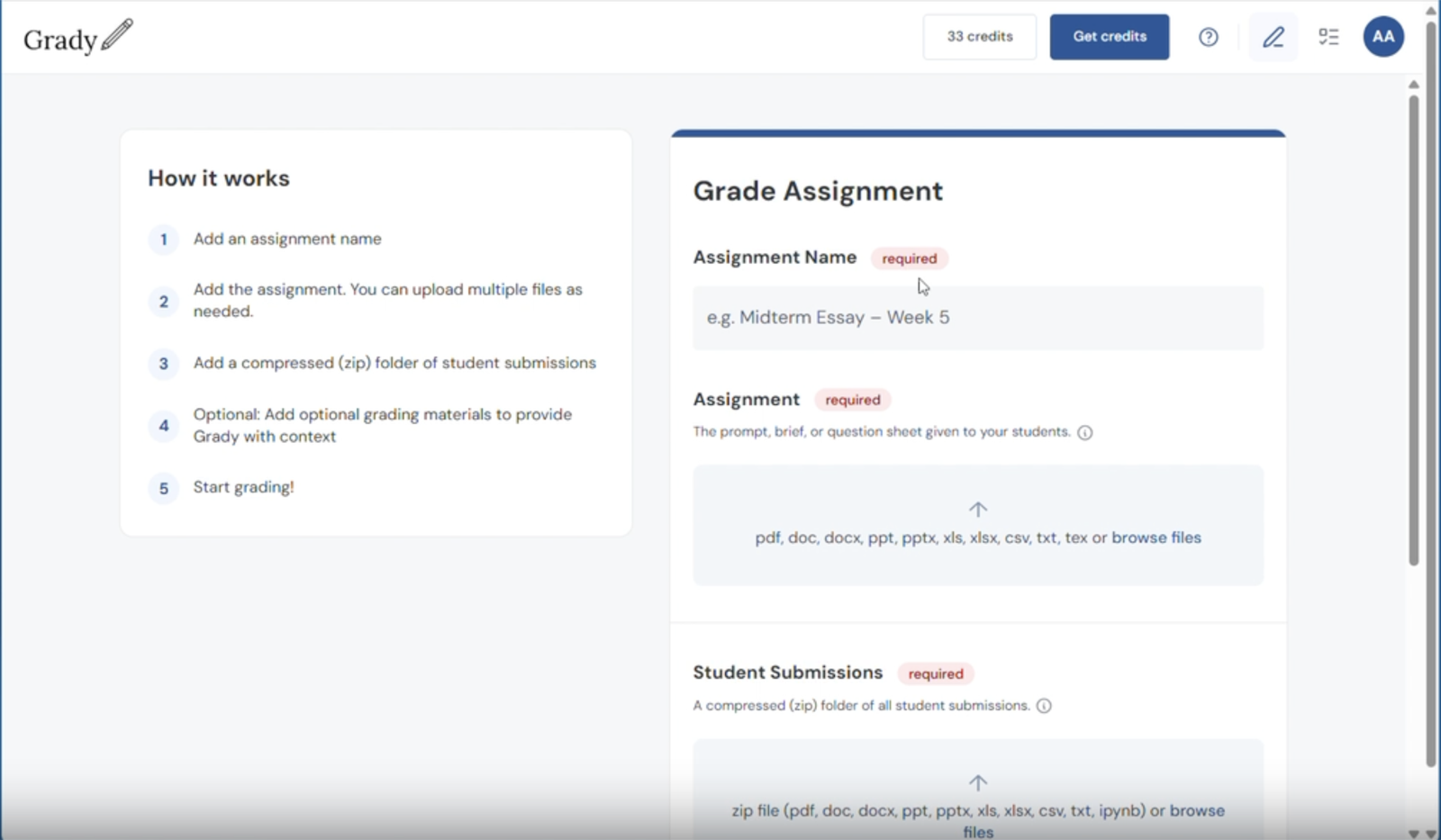
Set up and steer the grading
Upload your assignment, the student submissions, and steer the grading with optional rubrics, instructions, answer keys, and leniency levels.
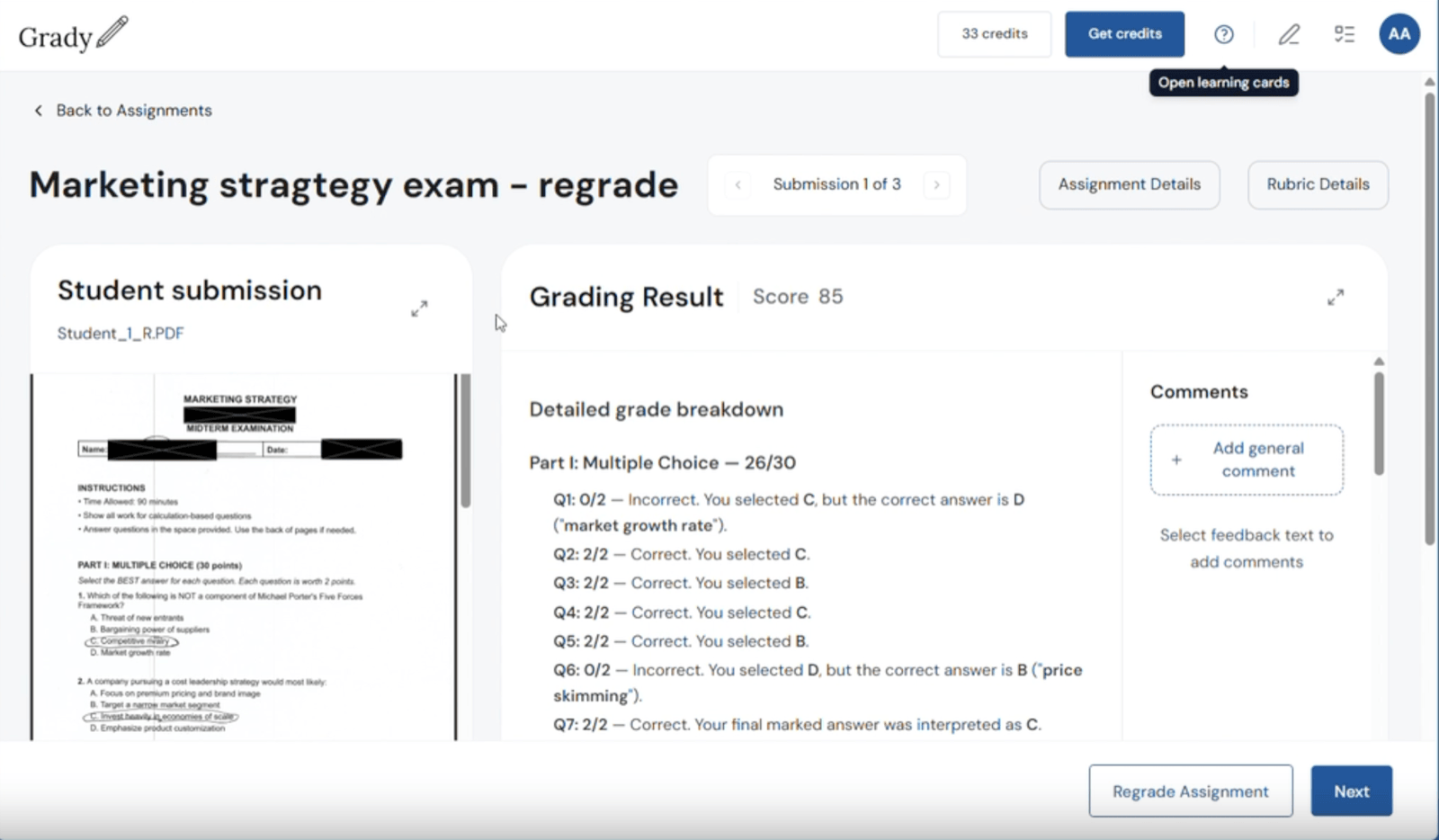
Review results and regrade the class
If you spot a rubric issue or a question many students misread, adjust the rubric with a comment or comment directly on a student's work, then regrade the whole class in one click.
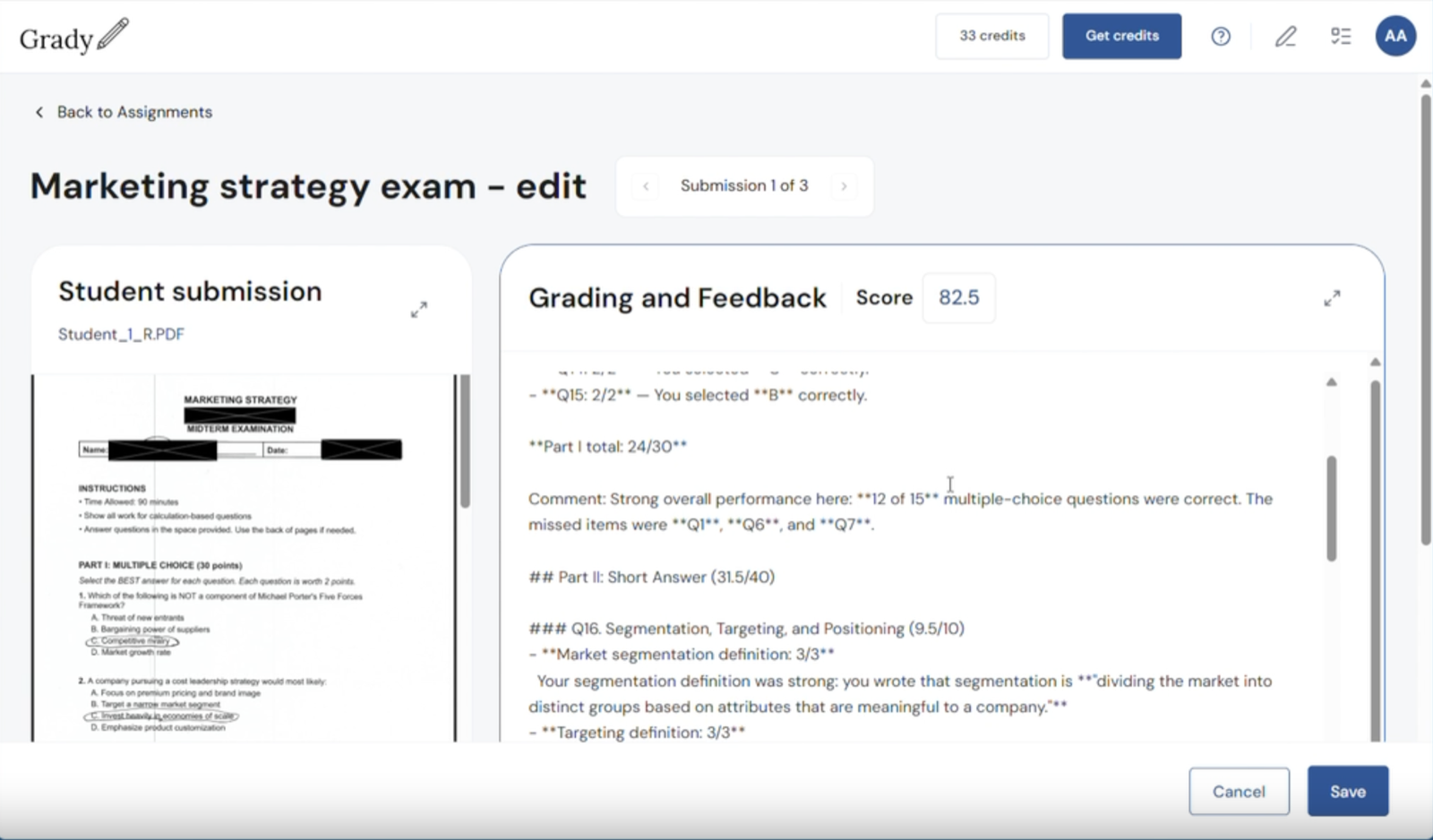
Edit any grade or comment
You stay in full control. Edit any score or any piece of feedback for any student before grades are finalized.
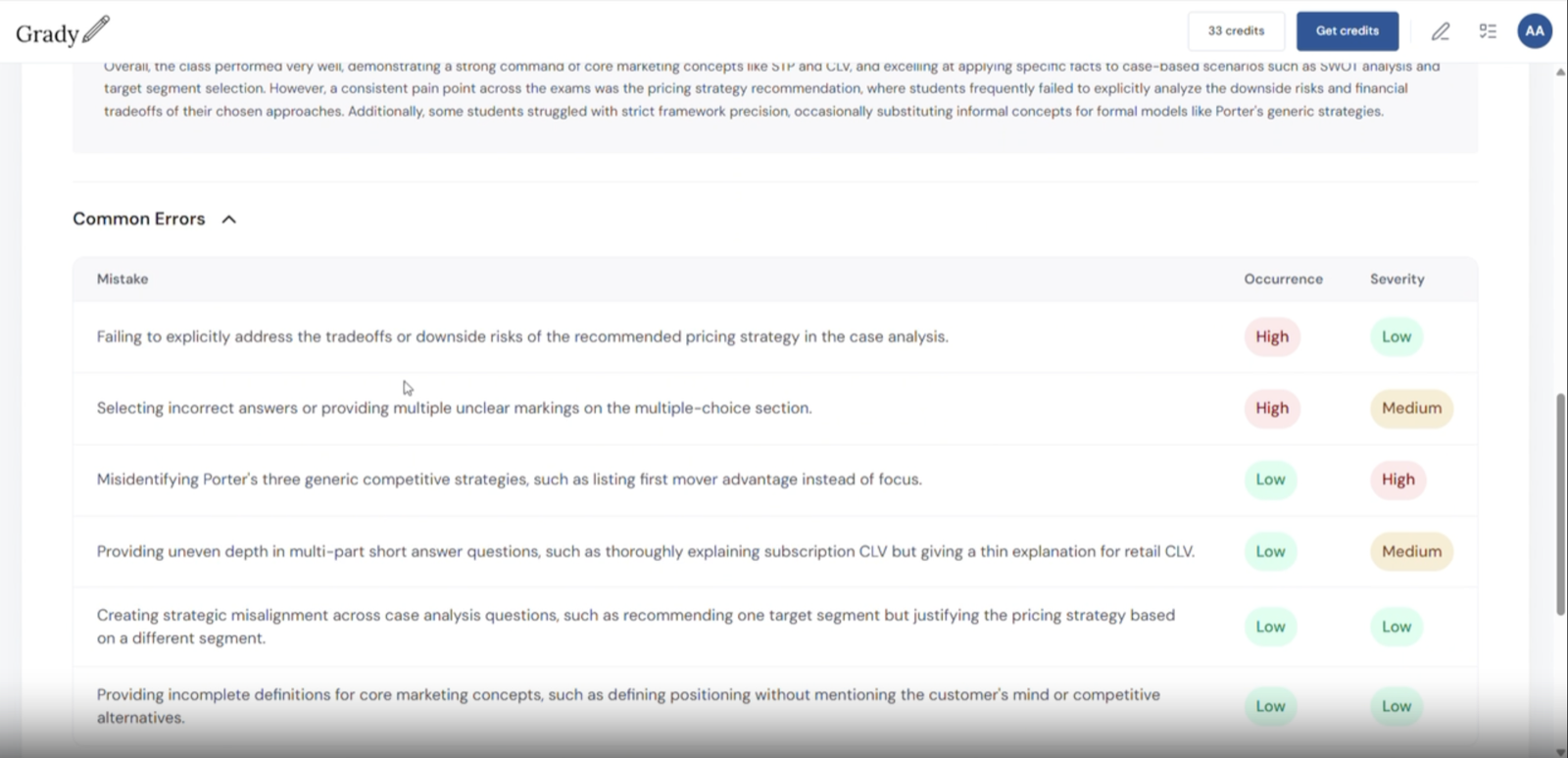
See where the class is struggling
After you submit grades, Grady's class analytics surface a grade distribution, a performance summary, and faculty-favorite common error clusters that pinpoint exactly where students struggled.
Ready to get started?
Bring Grady to your institution
Reach out to hear more about Grady or to see a demo.
Experience Grady yourself
Create an account and upload an assignment, or use an example we provide, to see Grady in action.
- Upload assignments in any format
- Get detailed feedback and grades in about an hour
- Full control to review and edit everything
- Works for any subject or discipline
- Gain a class summary with common error clusters to bolster teaching